Last Updated on December 21, 2025 by Rajeev Bagra
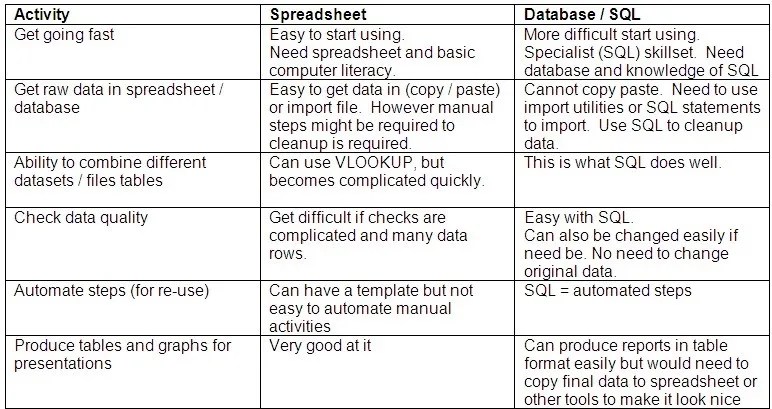
Spreadsheets like Excel and Google Sheets are incredibly powerful. For many individuals and small teams, they are often the first tool used to store, analyze, and visualize data. So a common question arises:
If spreadsheets already exist, why should one invest time learning DBMS and SQL?
Two commonly cited reasons are handling very large datasets and faster performance. Both are valid. But there is a third, often underestimated reason—modern applications and websites are built on databases, not spreadsheets.
Let’s unpack all three, with practical context.
1. Large Tables: When Spreadsheets Hit a Wall
Spreadsheets were never designed to behave like industrial-strength data systems.
- Excel has row limits (just over 1 million rows).
- Performance degrades quickly as formulas, lookups, and pivot tables grow.
- Collaboration on large files becomes fragile and error-prone.
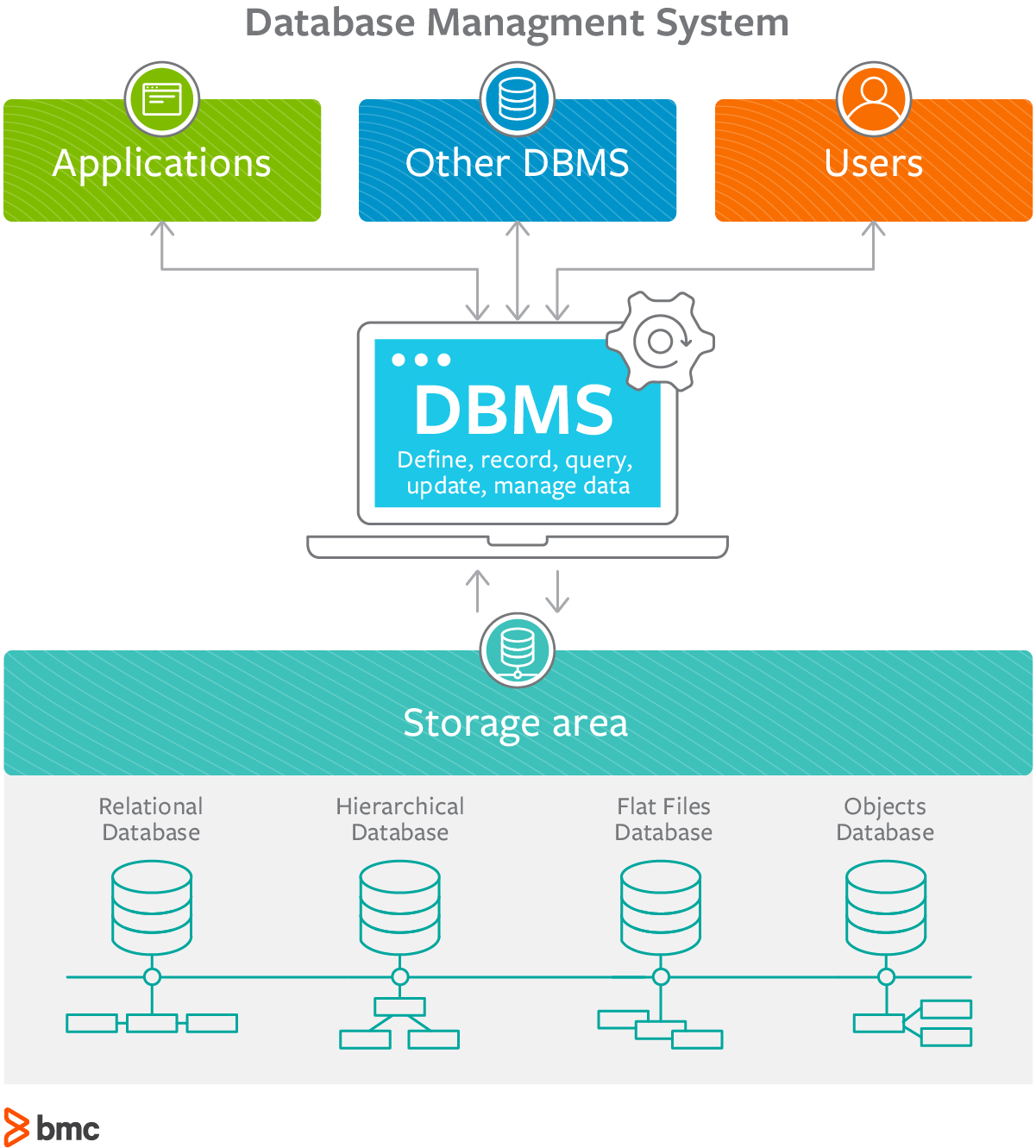
A DBMS (Database Management System), on the other hand:
- Can handle millions to billions of rows
- Uses indexing and query optimization
- Stores data efficiently on disk, not just in memory
In short: spreadsheets scale vertically with pain; databases scale horizontally with design.

2. Speed and Efficiency: SQL Is Built for Questions
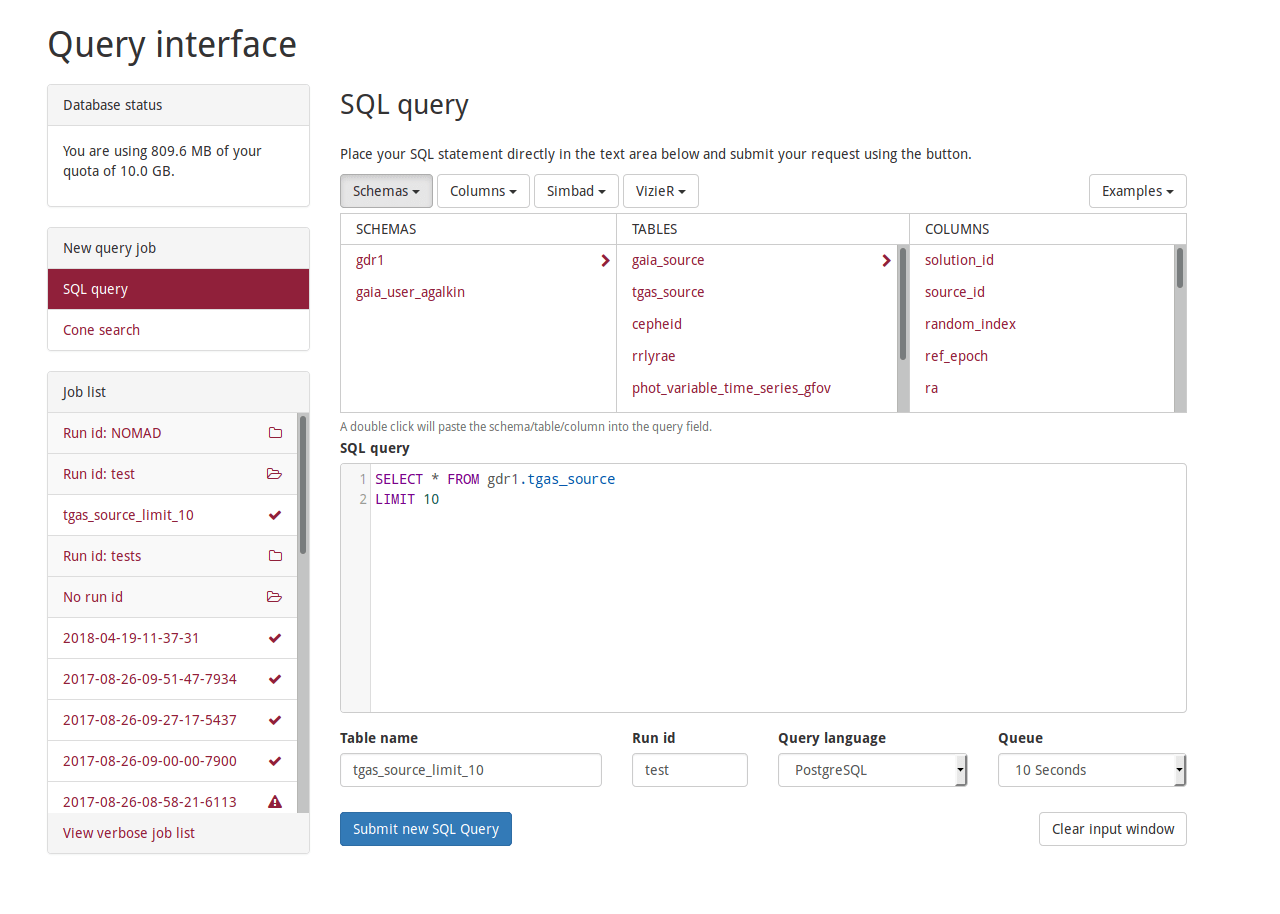
Spreadsheets compute data cell by cell. SQL operates on sets of data.
With SQL, you can:
- Filter millions of records in milliseconds
- Join multiple tables without duplicating data
- Aggregate results (
SUM,COUNT,AVG) efficiently at the engine level
This speed advantage becomes obvious when:
- Running reports repeatedly
- Serving live dashboards
- Supporting concurrent users
In real-world systems, performance is not a luxury—it’s a requirement.
3. The Missing Reason: Applications Don’t Run on Spreadsheets
This is where learning DBMS and SQL becomes non-negotiable for developers and serious WordPress users.
Web Applications Use Databases by Default
Whether it’s:
- A blog
- An e-commerce store
- A learning management system
- A SaaS dashboard
They all store data in databases like MySQL, PostgreSQL, or SQLite.
For example, WordPress uses:
- MySQL (or MariaDB) as its database
- SQL queries behind every page load
- Tables for posts, users, metadata, comments, and settings

A spreadsheet simply cannot:
- Handle multiple users writing simultaneously
- Enforce relationships between data
- Securely store authentication information
- Serve content dynamically on request
Spreadsheets vs Databases: A Mental Shift
| Aspect | Spreadsheet | DBMS |
|---|---|---|
| Primary use | Analysis & reporting | Application backbone |
| Concurrency | Weak | Strong |
| Data integrity | Manual | Enforced by constraints |
| Automation | Limited | Core feature |
| Security | Basic | Role-based access |
| Integration | Manual export/import | Native API & backend support |
Spreadsheets are tools.
Databases are infrastructure.
My Opinion: SQL Is the Literacy of the Data Age
Learning SQL today is similar to learning:
- Basic accounting for business
- HTML for web publishing
- Arithmetic for finance
Even if:
- You never become a backend developer
- You mostly use WordPress plugins
- You rely on dashboards instead of raw queries
Understanding how data is stored, queried, and updated gives you:
- Better debugging skills
- Smarter plugin and theme choices
- Confidence when scaling projects
- Independence from black-box tools
Final Thoughts
Spreadsheets will continue to exist—and they should. They are excellent for exploration, planning, and lightweight analysis.
But:
- Large data
- Fast performance
- Real applications (like WordPress and other web apps)
All point to the same conclusion:
DBMS and SQL are not replacements for spreadsheets—they are the foundation beneath modern software.
Learning them is not about abandoning spreadsheets; it’s about understanding what powers everything beyond them.