Last Updated on August 1, 2025 by Rajeev Bagra
When working with Python, especially as a beginner, you might wonder:
What’s the difference between a regular
add()function and the special__add__()method?
They both seem to involve addition — but they serve different purposes. Let’s explore how they work, when to use each, and why dunder methods (those double underscore methods like __add__) are vital in object-oriented programming.
What Is a Regular add() Function?
A simple Python function that adds two values might look like this:
def add(a, b): return a + b print(add(3, 4)) # Output: 7 This works perfectly for built-in data types like integers, floats, strings, and lists — because Python already knows how to add them.
What Happens Behind the Scenes?
When Python sees a + b, it internally translates that to:
a.__add__(b) So even though you’re writing a + b, Python is actually calling the special dunder method __add__.
a = 3 b = 4 print(a + b) # Output: 7 print(a.__add__(b)) # Also 7 — same thing! The Limitation of add() — Custom Classes
Now imagine you define a custom class, like a 2D point:
class Point: def __init__(self, x, y): self.x = x self.y = y Trying to do this:
p1 = Point(1, 2) p2 = Point(3, 4) print(p1 + p2) # ERROR Python throws an error because it doesn’t know how to add two Point objects.
Overcoming the Limitation with __add__()
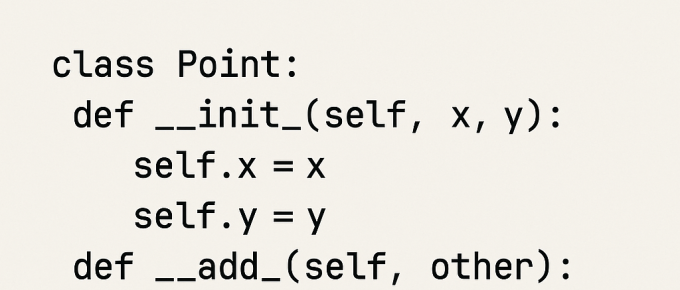
You can tell Python how to handle + by defining the __add__ dunder method inside your class:
class Point: def __init__(self, x, y): self.x = x self.y = y def __add__(self, other): return Point(self.x + other.x, self.y + other.y) def __str__(self): return f"Point({self.x}, {self.y})" Now this works:
p1 = Point(1, 2) p2 = Point(3, 4) p3 = p1 + p2 print(p3) # Output: Point(4, 6) Magic! The + operator is now meaningful for your custom object.
Why Use __add__() When add() Exists?
| Situation | Use add() Function | Use __add__() Method |
|---|---|---|
| Basic types (int, str, list) | Simple and quick | Not necessary |
| Custom objects | Won’t work | Required |
Want to use + directly | No effect | Enables operator |
| Writing reusable class logic | Limited scope | Full control |
Going Further: Other Useful Dunder Methods
| Dunder Method | Operator | What It Does |
|---|---|---|
__add__ | + | Add two objects |
__sub__ | - | Subtract one object from another |
__mul__ | * | Multiply objects or by scalar |
__eq__ | == | Compare for equality |
__lt__ | < | Less-than comparison |
__str__ | str() | String representation |
Real-World Example: Product Class
class Product: def __init__(self, name, price): self.name = name self.price = price def __add__(self, other): return self.price + other.price def __mul__(self, quantity): return self.price * quantity def __eq__(self, other): return self.name == other.name and self.price == other.price def __lt__(self, other): return self.price < other.price def __str__(self): return f"{self.name} (${self.price})" Usage:
p1 = Product("Book", 10) p2 = Product("Pen", 2) print(p1 + p2) # 12 print(p2 * 5) # 10 print(p1 == p2) # False Final Thoughts
- Use
add()for quick, procedural logic. - Use
__add__()to teach Python how to add your custom objects. - Dunder methods are a key part of operator overloading, which makes code more intuitive and object-oriented.
Summary
| Concept | Example | Use Case |
|---|---|---|
add() function | add(2, 3) | Quick function logic |
__add__() | object1 + object2 | Object-oriented operator logic |
| Both used? | add(p1, p2) calls __add__() | Under-the-hood cooperation |
Would you like this in Markdown, WordPress, or as an HTML blog template for your site?